
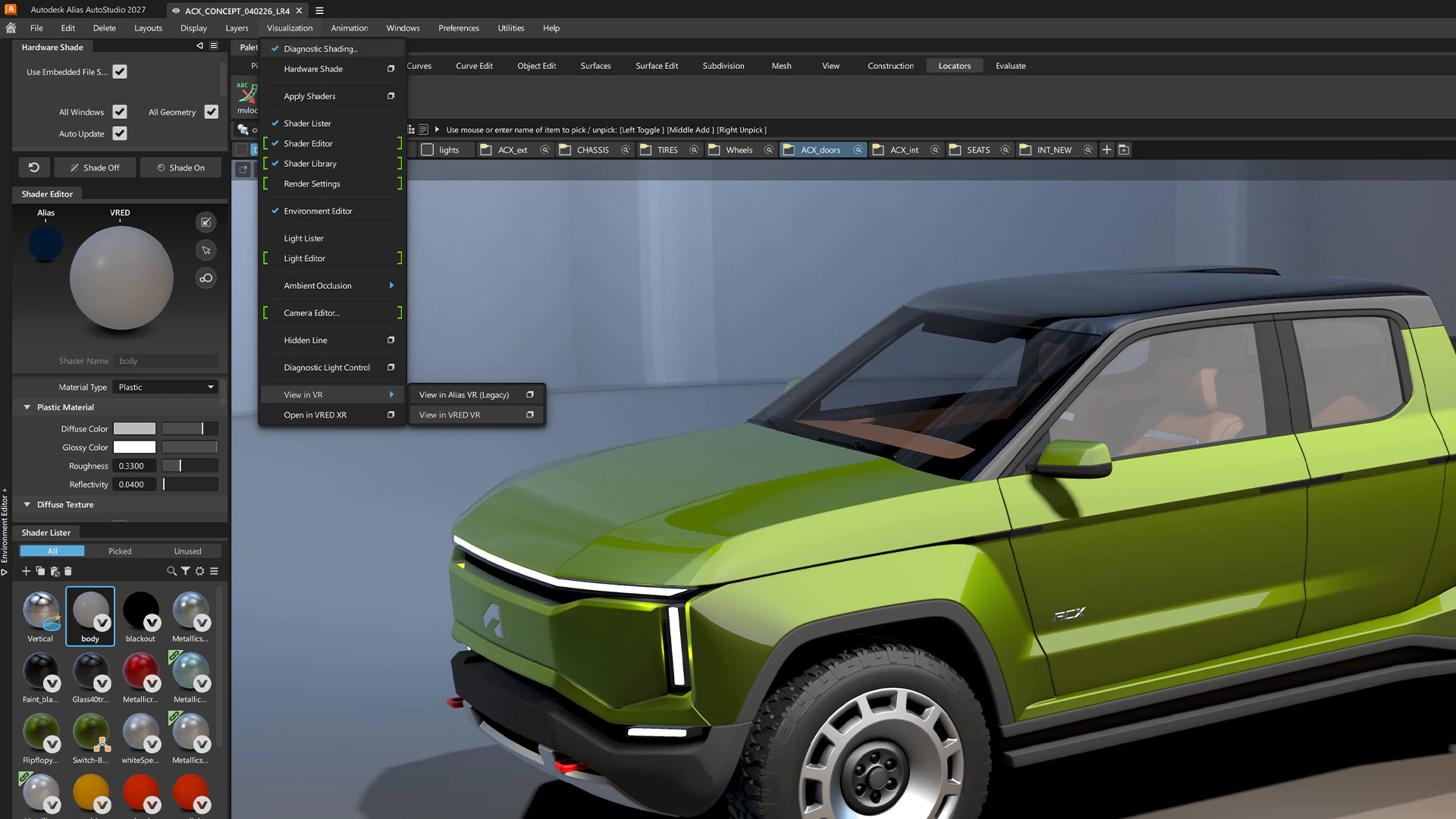
Why Alias AutoStudio Is One of the Best Class‑A Surfacing Tools
2026-07-31
If you’re serious about automotive design or transportation design, you’ve probably heard of Alias AutoStudio. It’s a name that carries weight in studios and OEMs worldwide. But what makes it one of the best Class-A surfacing software options available? Is it just hype, or is there genuine substance behind the reputation?
As a designer who uses Alias daily to take concepts from initial sketches all the way to production‑ready STEP files, I want to give you a practitioner’s take. This isn’t a sales pitch. It’s an honest breakdown of where Alias AutoStudio excels, where it falls short, and who it’s really for.
What Is Class‑A Surfacing, and Why Does the Software Matter?
Before we dive in, let’s briefly define our terms. Class-A surfacing is the process of creating a mathematical 3D surface model with the highest level of aesthetic quality and physical precision. It’s the final digital “master” used to manufacture exterior and interior panels. These surfaces aren’t just visually flawless; they must meet strict criteria for continuity, curvature, and reflection—all while being manufacturable.
The software you choose for this task isn’t just a tool; it dictates your entire workflow. A bad surface in a parametric system can cause massive headaches downstream. The right tool, however, can turn a designer’s vision into a manufacturable reality without losing the soul of the design.
What Is Alias AutoStudio?
Alias AutoStudio is Autodesk’s flagship software for industrial and automotive design. It was born from the need to bridge the gap between a designer’s creative intent and the rigid world of engineering CAD. Unlike software built solely for engineering, Alias was purpose‑built for the iterative, freeform nature of automotive design.
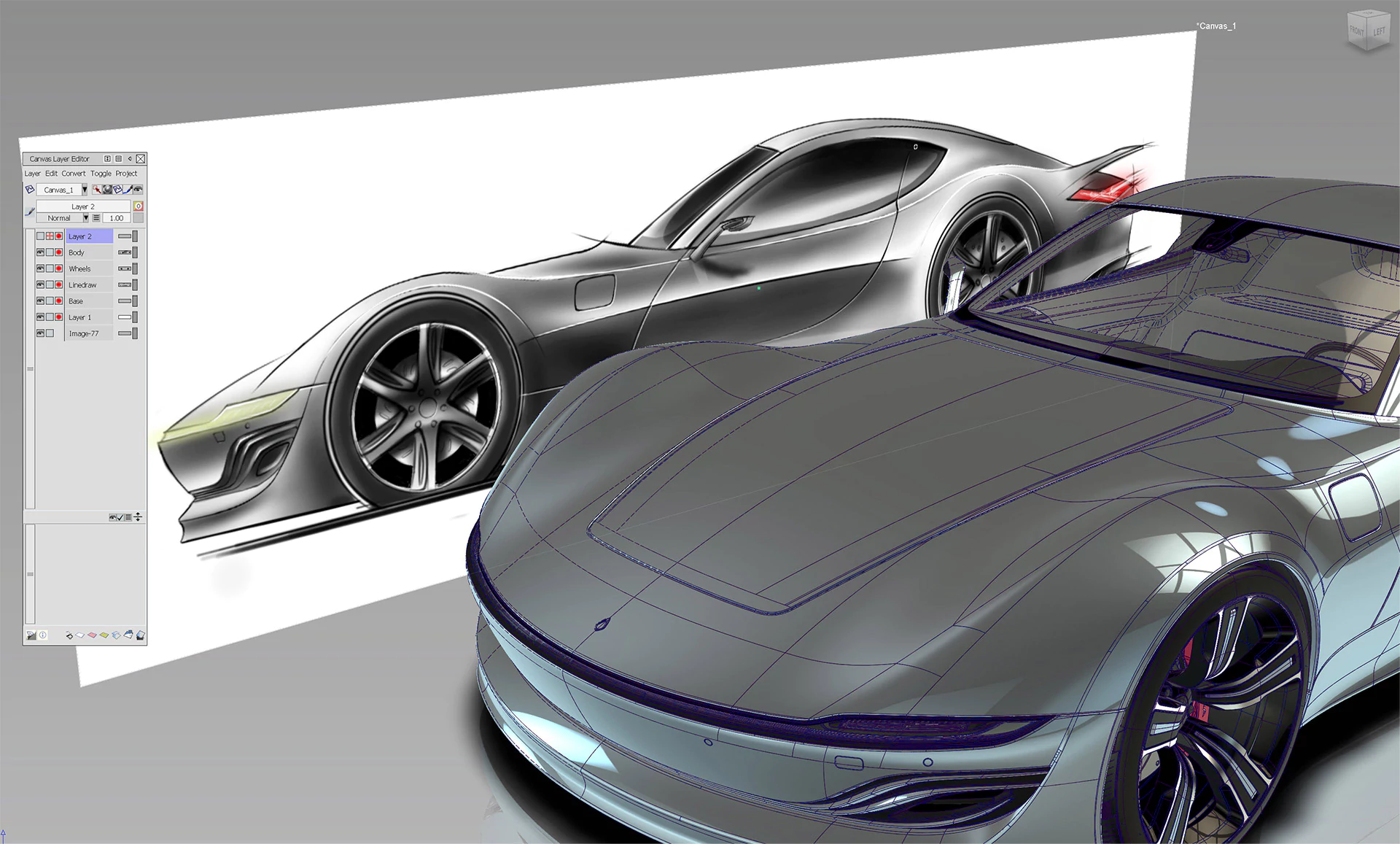
In the concept‑to‑surface pipeline, Alias sits right in the middle. It’s the translator. It takes the 2D sketches and rough 3D concept models from tools like SketchBook or Blender and turns them into the high‑quality surfaces that engineers can then use in downstream software like CATIA or Siemens NX.
Core Strengths: Why Alias Stands Out
A Designer‑First Workflow
The biggest differentiator for Alias AutoStudio is its workflow, which is fundamentally built for how designers think. You don’t start with parameters and constraints; you start with a sketch.
- Canvas Sketching: You can import 2D sketches and build 3D forms directly on top of them. The software doesn’t force you into a rigid feature tree.
- Blend Surfaces: The ability to create high‑quality blends and transitions between forms is where Alias shines. It feels intuitive, allowing you to sculpt and refine surfaces dynamically, rather than wrestling with parameters.
This isn’t about making things “easier,” it’s about making things possible in a creative context. When you’re iterating through 50 variations of a fender or a headlight, a designer‑first tool respects your need for speed and flexibility.
Advanced Surface Continuity Tools
In the world of Class-A, continuity is everything. It defines how smoothly two surfaces meet. There are three key levels:
- G0 (Position): Surfaces just touch at an edge.
- G1 (Tangency): Surfaces meet with a smooth transition in direction.
- G2 (Curvature): The rate of curvature is also continuous, making the transition optically perfect.
Alias provides a suite of tools to create, analyze, and edit these continuities. The ‘Align’ and ‘Match’ tools are legendary for a reason. They allow you to manipulate surface CVs (control vertices) to achieve the exact continuity you need while maintaining a beautiful shape. This is critical for something like a door seam; if the continuity isn't perfect, the light will “break” across the panel gap, ruining the visual quality.
World‑Class Curvature Analysis
A surface can look good in a shaded view and still be a mess. To validate true Class‑A quality, you need to analyze the surface’s underlying mathematics. Alias offers an industry‑leading set of analysis tools:
- Zebra Analysis: This simulates the reflection of a striped pattern on your surface. By observing how the stripes flow, you can instantly see if the continuity is correct. A trained eye can spot a G1 discontinuity (a “kink” in the line) in a fraction of a second.
- Curvature Combs (Porcupine Plots): These visualise the curvature of a curve or surface as a series of “teeth.” A smooth, even comb indicates a high‑quality surface with consistent reflection.
- Reflection Analysis: This simulates a studio light environment, allowing you to visually check how the surface reflects its surroundings. This is one of the most critical real‑world checks for exterior panels.
The Industry‑Standard Bridge
If you work in the automotive industry, Alias AutoStudio is the lingua franca of exterior and interior surfacing. It’s the industry‑standard bridge between concept design and engineering‑grade CAD. Most major OEMs use Alias for the initial surfacing phase before exporting to CATIA or NX for engineering and manufacturing.
This gives Alias a significant advantage: compatibility. Its native STEP and IGES export capabilities are highly refined. When you hand off a file, the geometry will translate to the engineering team without losing its precision, something that isn’t always guaranteed with other tools.
A Master of Freeform Surfacing
While engineering CAD excels at creating prismatic, geometric shapes, Alias is the undisputed king of freeform, organic surfacing. If you’re designing a car’s exterior, a chair’s shell, or a sports shoe’s upper, you’ll find Alias’s toolset far more capable. The software gives you direct control over the surfaces, allowing you to build highly sculptural forms that would be incredibly tedious, if not impossible, in parametric software.
Honest Limitations: Where Alias Is Not the Best Choice
To be credible, we have to talk about where Alias AutoStudio is NOT the best tool. It’s not a silver bullet, and pretending it is would be a disservice.
Weak Parametric, History‑Based Modeling
This is the big one. Alias is a direct modeling tool. It doesn’t maintain a history tree like CATIA or NX. If you change a surface, you have to manually update any surfaces that depend on it. This can be a nightmare for engineering teams who rely on parametric updates for design changes.
If you need to change a fender thickness or a mounting bracket location, doing that in Alias requires a complete rebuild of the affected surface set. It’s a “rebuild and re‑attach” workflow, which is fine for a design studio but impossible for full engineering.
Steep Learning Curve
While the designer‑first workflow is intuitive, achieving true Class‑A surfacing mastery is incredibly difficult. It takes years to develop the eye and the muscle memory to build flawless surfaces. The learning curve is steep, and many students give up before they truly understand the power of the toolset. It’s not a software you can pick up and become an expert in in a few months.
Cost and Licensing
Alias AutoStudio is expensive. It’s a premium tool for a premium market. The licensing model can also be complex, often requiring a subscription that is cost‑prohibitive for freelancers or small studios. The cost of entry is high, which is a significant barrier for many.
Not Built for Parametric Assemblies
If your job is to design an entire vehicle’s chassis or an engine block, Alias is the wrong tool. It’s not built for large, parametric assemblies with complex relationships. You would use CATIA or NX for that. Alias is for creating the aesthetic surface, not for designing the mechanical systems that go underneath.
Alias AutoStudio vs. The Competition
So how does it stack up against its main rivals? Here’s a fair, honest comparison.
| Feature | Alias AutoStudio | ICEM Surf | CATIA (GSD / ICEM) | Mesh Tools (Fusion, Blender) |
|---|---|---|---|---|
| Best‑Use‑Case | Design studio conceptual & Class‑A surfacing | High‑end Class‑A surfacing (often in engineering) | Full vehicle engineering & surfacing | Prototyping, concept modeling, organic forms |
| Learning Curve | Moderate to Steep | Very Steep | Very Steep | Moderate |
| Typical Users | Designers, Surfacing Specialists | Designers, Surfacing Specialists | Engineers, Surfacing Engineers | Industrial Designers, Makers, Artists |
| Strengths | Designer‑first workflow, great analysis tools, industry standard bridge | Fast surface creation, excellent for large scans (digitise) | Parametric updates, large assemblies, full engineering | Mesh modeling is very fast, cheap, good for visualization |
| Weaknesses | Not parametric, expensive, steep learning curve | Not parametric, can be less intuitive, very niche | Not designer‑first, pricey, requires high‑end hardware | Not Class‑A capable, hard to get G2 continuity |
My Take: The truth is, these tools are often complementary in a large studio. A designer uses Alias to create the shape, an engineer uses CATIA to design the structure, and someone might use ICEM for high‑end surface refinement. You don’t have to “pick” just one forever.
Who Should Actually Learn and Use Alias AutoStudio?
Design Students
If you want to work in transportation design, you need to learn Alias AutoStudio. It’s not a “nice to have”; it’s a requirement. It will give you a massive advantage when applying for internships and jobs.
Concept‑to‑Surface Designers
If you’re a designer who wants to take your own sketches to a manufacturable Class‑A surface, Alias is the best tool for the job. It allows you to maintain creative control over the entire process.
Small‑to‑Mid Shops
If you’re a small production shop or a body‑kit manufacturer, Alias is a great investment. It allows you to produce genuine Class‑A output without needing an entire OEM engineering CAD stack. You can design the part, output a STEP file, and have it milled or cast.
Freelance Surfacing Specialists
If you want to work as a freelance surfacing specialist, Alias is the tool that will get you hired. It’s the most marketable surfacing skill you can have.
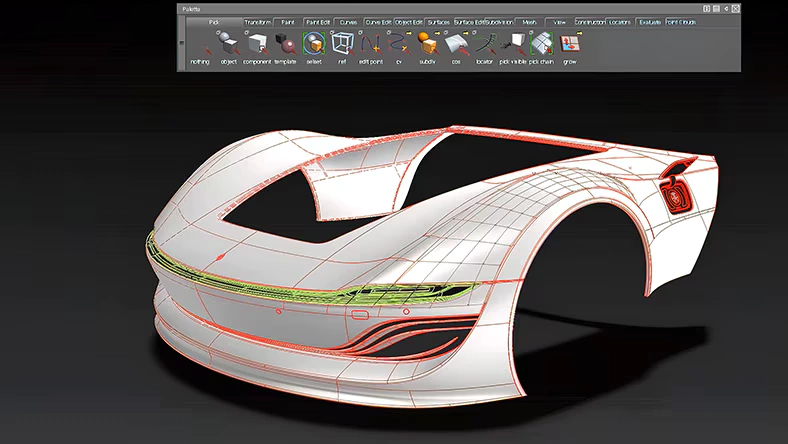
A Realistic Learning Path
So, where do you start? Here’s a roadmap for learning Alias AutoStudio:
- The Fundamentals: Start with the sketching and 2D layout tools. Understand the interface and how to navigate in 3D space.
- Curve Fundamentals: Learn to build and edit CV curves. Master the curve edit tools. Your surfaces will only ever be as good as your curves.
- Basic Surfaces: Move on to primitive surface tools (revolve, extrude, loft). Understand the basics of how a surface is built.
- Continuity Theory: This is the make‑or‑break point. Spend a lot of time understanding what G0, G1, and G2 continuities look like and how to achieve them. Use the analysis tools constantly.
- Blend Surfacing: Master the blend tools. Most of your work will involve blending surfaces together. A good blend can hide a multitude of sins.
- SubD‑to‑NURBS: Modern Alias has strong SubD tools. Learn to use them for rapid conceptual sculpting, then convert to NURBS for final surfacing.
- Final Project: Build a portfolio‑quality surface from scratch. This could be a car fender, a motorcycle tank, or a headlight. The key is to take a project from start to finish.
FAQ
What is Class-A surfacing? Class‑A surfacing is the creation of high‑quality 3D surfaces with perfect mathematical continuity. These surfaces are used for the exterior panels of cars and are critical for achieving a flawless visual appearance.
Is Alias AutoStudio better than CATIA? Alias is better for designers creating freeform, organic shapes in a creative studio environment, while CATIA is better for engineering teams needing parametric control and large assemblies. Both are used together in most OEMs.
Can I use Alias AutoStudio for 3D printing? Yes, you can export your Alias models as STL or OBJ files for 3D printing. However, it’s often more efficient to use other tools for quick prototyping.
Is Alias hard to learn? Yes, achieving mastery in Alias is a significant commitment that takes years of practice. It’s not the easiest software to learn, but the investment pays off in terms of marketable skills.
Can I import Alias files into CAD? Yes, Alias natively supports export to STEP, IGS, and other standard CAD formats, making it easy to hand off to downstream engineering teams.
Conclusion
So, is Alias AutoStudio one of the best Class‑A surfacing tools available? Without a doubt. It’s not the right tool for every job, and it has significant limitations, but for its core purpose—taking a designer’s vision and turning it into a flawless, manufacturable surface—there is simply no equal.
In my own studio, [[YOUR STUDIO NAME]], I rely on Alias AutoStudio every day to deliver production‑ready Class‑A surfaces to my clients. It’s a tool that I’ve invested a significant amount of my career in mastering, and it has never let me down when the pressure is on.
If you’re a designer serious about your craft, learning Alias is one of the best decisions you can make. The journey is long, but the reward is the ability to create truly beautiful, functional, and manufacturable designs.